
Below we outline the guidance for connecting Okta to the Zip Console. Generally this step will be completed by the Zip team. If your organization already has Okta provisioned, you can follow the below instructions to connect it with the Zip console.
Connect Customer Okta to Zip Console
- Log in to Okta’s Admin dashboard as a Super Admin. The API token will inherit the permissions of the Admin that creates it.

For info on how to grant more scoped permissions, email success@zipsec.com
- In the Okta Admin Console, navigate to Security > API.
- Click Create Token. The token will have the same permissions as the account that was used to create it.
- Enter a name for the token.
- Document the Token value from the screen in a secure area like a password manager.
- Important: please be sure to document and store the API token value carefully, as it can not be retrieved later and can present a security risk if used in an unauthorized fashion.
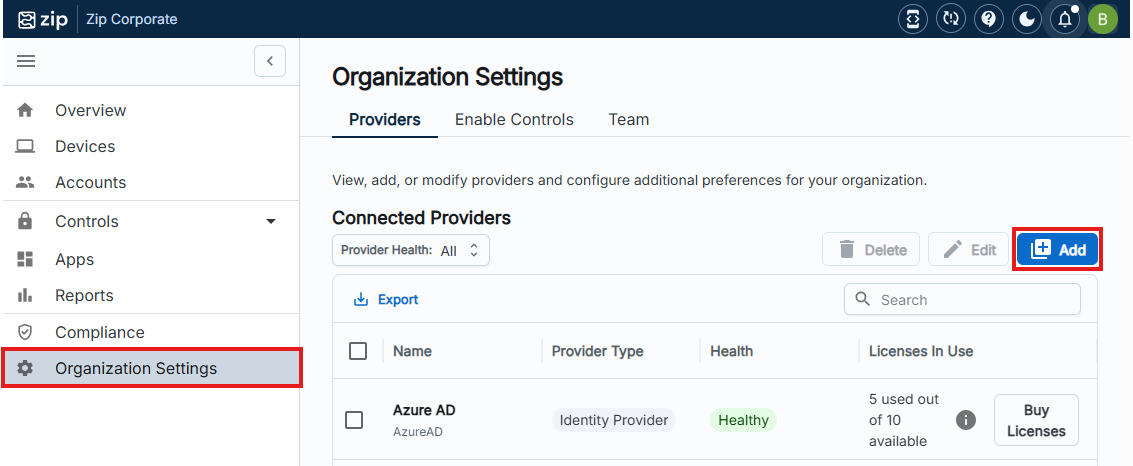
- Navigate to your Zip Console:
- On the Zip Console navigate to ‘Providers’ tab under Organization Settings:
- Click
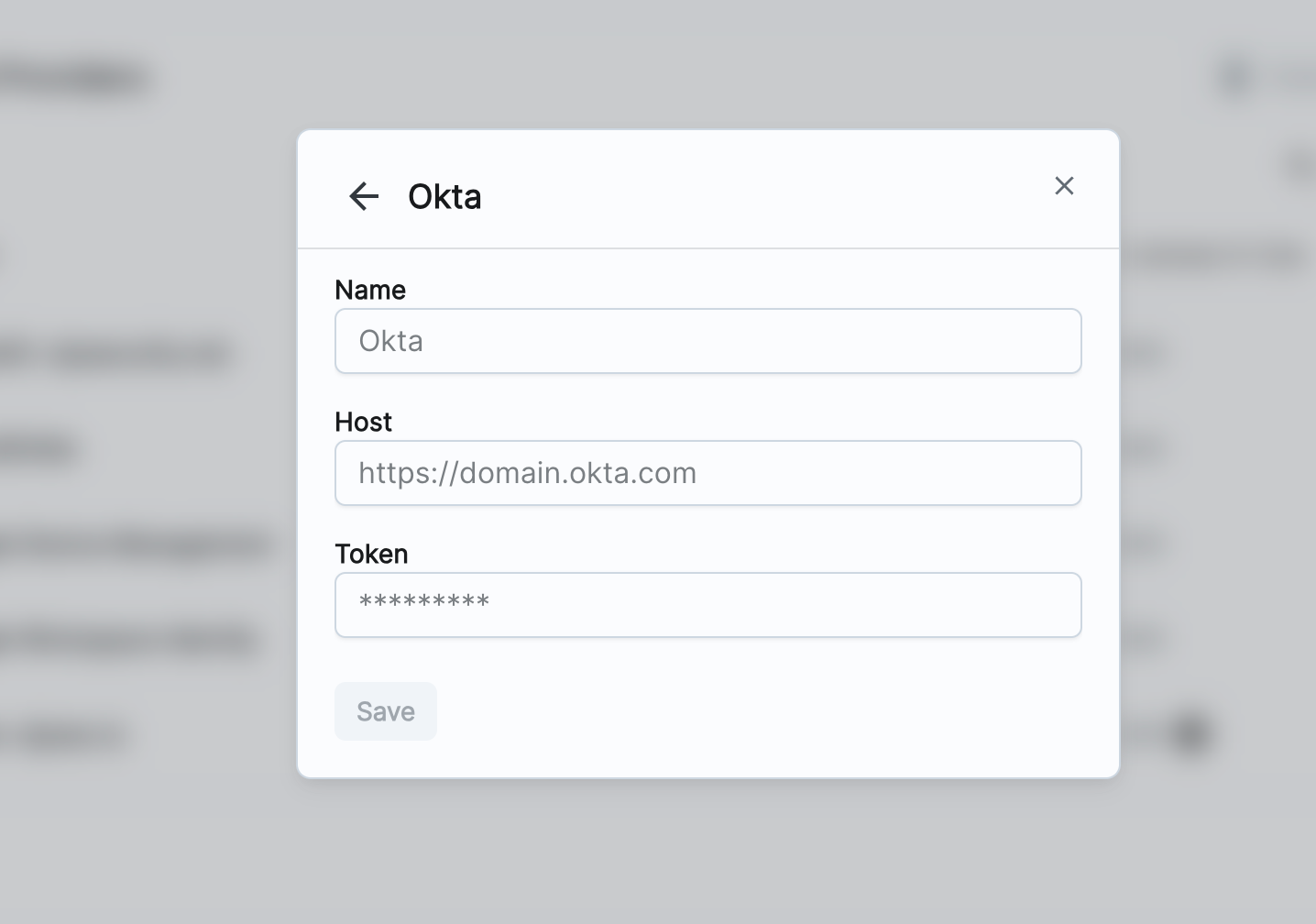
Add→ Okta. Copy the Okta credentials in to the form and hit save.
Questions? Here’s how to reach us:
- Email: success@zipsec.com